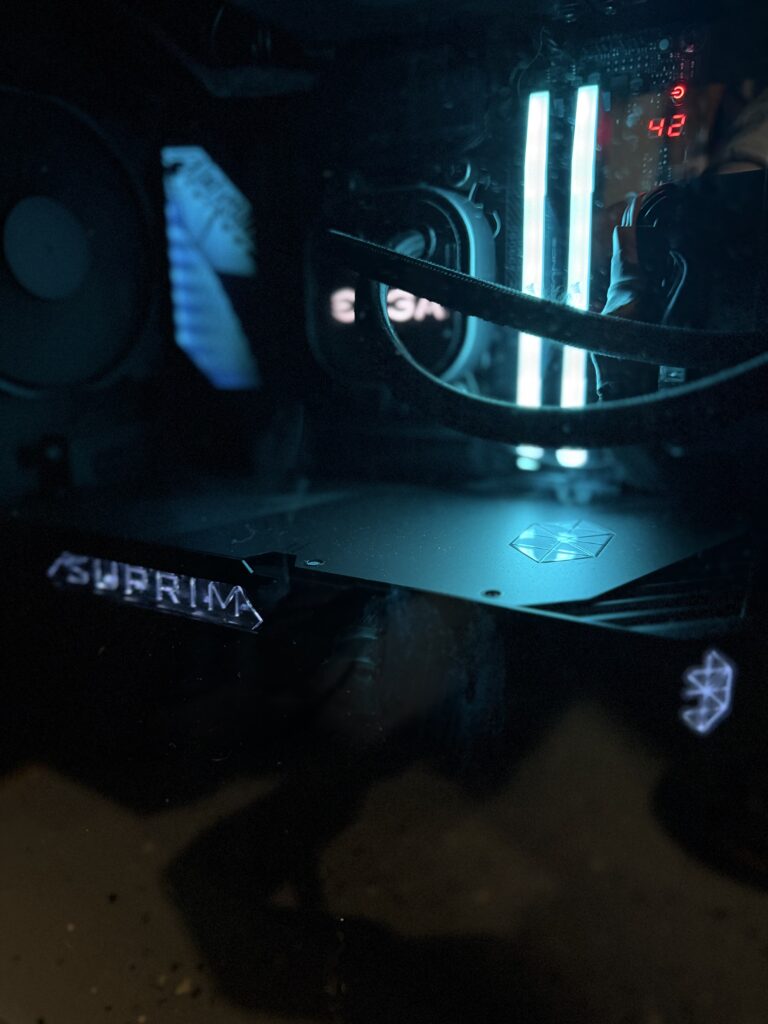


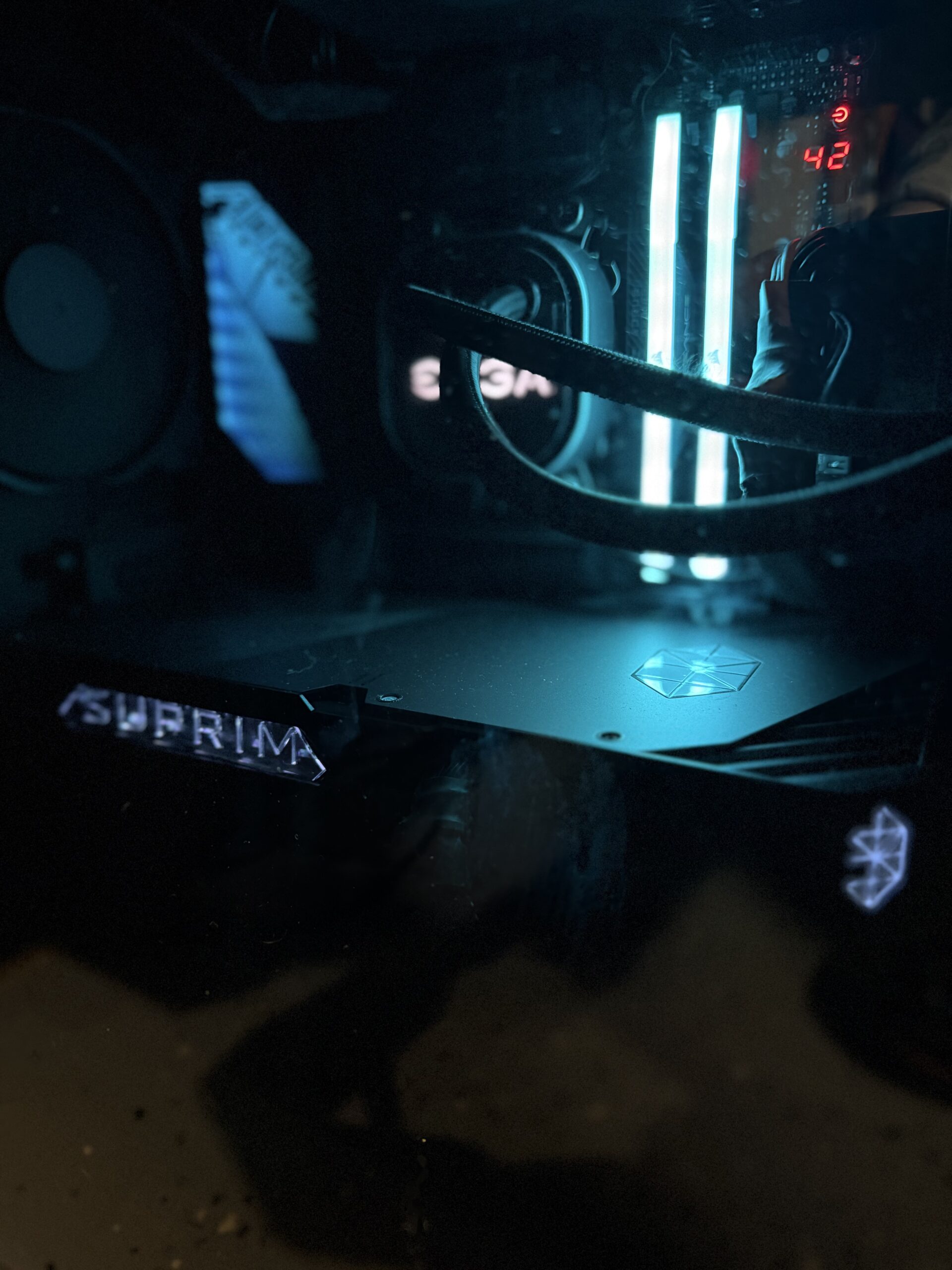
The modern computer is one of humanity’s greatest inventions.
It can perform billions of calculations, render entire virtual worlds, simulate complex systems, edit professional video, generate artwork, run artificial intelligence, and provide immediate access to nearly all recorded human knowledge.
Naturally, we mostly use it to argue with strangers and watch videos of dogs falling off couches.
Welcome to Computer Components, where we review graphics cards, processors, motherboards, memory, storage, power supplies, cooling systems, cases, and the other expensive electronic crap required to build a computer.
Some components provide enormous improvements.
Some offer small improvements wrapped in enormous marketing claims.
And some exist primarily to add RGB lighting to a part of the computer nobody can see.
Our job is figuring out which is which.
Building a Computer Is Just Expensive Electronic LEGO
Building your own computer sounds intimidating.
You receive several boxes containing delicate electronics, open a motherboard manual apparently written for people who already know what everything means, and begin inserting expensive components into slots while attempting not to think about static electricity.
Eventually, assuming nothing catches fire, you press the power button.
Nothing happens.
You check every connection.
Still nothing.
You begin questioning your intelligence, your eyesight, and the entire series of life decisions that led to this moment.
Then you discover the power supply switch is turned off.
The machine starts.
You are now an expert.
PC building is basically electronic LEGO, except the pieces cost hundreds of dollars and one of them contains enough electrical power to make incorrect decisions memorable.
But once everything works, there’s genuine satisfaction in using a machine you selected and assembled yourself.
At least until Windows installs an update.
Every Component Is the Most Important Component
Shopping for computer hardware creates an interesting problem.
Every manufacturer insists its component is the most important part of your machine.
The processor is the brain.
The graphics card is the heart.
The motherboard is the foundation.
The power supply is the lifeblood.
The memory allows everything to work together.
The storage preserves your valuable data.
The cooling system prevents the whole expensive arrangement from cooking itself.
Apparently, a computer contains seventeen hearts, nine brains, three foundations, and one tiny battery everybody forgets about until the BIOS clock loses its mind.
The truth is simpler.
Every component matters, but how much it matters depends on what you actually do with the computer.
That’s the perspective our reviews will take.
Graphics Cards: Where Money Goes to Become Frames
Few computer parts generate more excitement, confusion, argument, and financial distress than the graphics card.
Modern GPUs are astonishing pieces of engineering.
They render games, accelerate creative applications, handle video processing, power local AI workloads, and occasionally heat the surrounding room so effectively that they should qualify for an energy-efficiency rebate.
They’re also expensive.
Sometimes extremely expensive.
Buying a high-end graphics card can feel less like purchasing a computer component and more like financing a used Honda that happens to contain ray-tracing cores.
Our graphics-card reviews and buying guides look beyond the promise of enormous performance numbers.
We’ll consider:
- Gaming performance
- Resolution and graphics settings
- Ray tracing
- Upscaling and frame generation
- Creative workloads
- Local AI performance
- Video memory
- Cooling
- Noise
- Power consumption
- Physical size
- Power-supply requirements
- Current pricing
- Value compared with competing cards
- Performance compared with older generations
Because a card can be incredibly fast and still represent a terrible purchase.
Performance matters. Price matters too.
Especially when the graphics card costs more than the rest of the computer, the desk, the chair, and possibly your first car.
Processors: More Cores Than Most People Know What to Do With
The central processor has traditionally been described as the brain of the computer.
This is slightly unfair to the processor, which generally follows instructions more reliably than most human brains.
Modern CPUs contain increasing numbers of cores, threads, caches, specialized accelerators, and product names that appear to have been assigned by rolling dice across an engineering department.
More cores can be useful.
Faster cores can be useful.
Larger caches can be useful.
But none of these specifications mean much without context.
A processor that excels at gaming may not be the best choice for rendering, compiling, simulation, content creation, or heavy multitasking.
Likewise, the fastest processor available may provide very little noticeable benefit if the most demanding thing you do is browse the web while forgetting to close 73 tabs.
We’ll look at processors based on real workloads, platform cost, power consumption, heat, upgrade options, and whether the performance improvement justifies the price.
Because buying sixteen cores to check email is certainly allowed.
It just isn’t required.
Motherboards: The Expensive Part That Supposedly Doesn’t Affect Performance
Motherboards occupy a strange place in the computer hierarchy.
They don’t usually receive the same attention as processors or graphics cards because they don’t produce exciting frame-rate graphs.
Yet every component plugs into them.
A good motherboard quietly provides stable power delivery, reliable connections, useful expansion, sensible firmware, adequate cooling, and enough ports to connect the growing pile of devices surrounding your desk.
A bad motherboard turns every upgrade into an archaeological expedition through the manual.
Motherboard reviews should cover more than whether the board successfully holds a processor.
We’ll look at:
- Socket and chipset
- Power delivery
- Memory support
- PCI Express layout
- Graphics-card clearance
- M.2 storage
- SATA connections
- USB connectivity
- Networking
- Audio
- BIOS usability
- Expansion options
- Fan and pump headers
- Diagnostic features
- Build quality
- Ease of installation
- Long-term stability
Premium boards can provide excellent construction, convenient release mechanisms, better connectivity, useful troubleshooting tools, and room for future expansion.
They can also include decorative armor covering every available surface and a price suggesting the motherboard was hand-forged by monks.
We’ll try to determine what you’re actually paying for.
Memory: A Collection of Numbers Printed on a Stick
Computer memory appears simple until you begin shopping.
Then you encounter capacity, frequency, timings, voltage, channels, ranks, profiles, compatibility lists, die manufacturers, and people on internet forums discussing memory subtimings with the intensity of nuclear physicists.
You’ll see names like:
DDR5-6000 CL36
Which sounds less like computer memory and more like something the military misplaced in Nevada.
Memory affects performance, but the size of that effect varies by workload and platform.
Capacity often matters more than chasing the absolute fastest kit.
A stable 32GB or 64GB configuration can be far more useful than technically faster memory that requires several evenings of BIOS adjustment and spiritual reflection.
We’ll look at:
- Capacity
- Speed
- Latency
- Compatibility
- Stability
- Memory profiles
- Cooling
- RGB software
- Overclocking potential
- Real performance differences
- Price
- Whether the specifications actually matter for ordinary use
Because there comes a point where you’re spending considerable money to improve numbers mostly visible inside benchmark software.
Storage: Fast Enough to Lose Your Files More Efficiently
Computer storage has improved dramatically.
Mechanical hard drives once clicked, whirred, vibrated, and provided enough time during file transfers to make coffee.
Modern solid-state drives can move enormous quantities of data with no moving parts and very little drama.
We now have SATA SSDs, NVMe drives, multiple PCI Express generations, cache configurations, endurance ratings, heat spreaders, and storage benchmarks containing numbers so large they barely appear connected to ordinary human experience.
Fast storage is useful.
But headline speed doesn’t always translate into equally dramatic improvements during everyday use.
A drive capable of extraordinary sequential transfers may not make Windows feel noticeably different from another good SSD during ordinary tasks.
We’ll examine actual performance, sustained speeds, temperatures, capacity, endurance, warranty, software, and value.
We’ll also continue reminding people that storage is not backup.
Your important files do not become immortal simply because they reside on an expensive SSD wearing a tiny aluminum hat.
Power Supplies: The Least Exciting Component Until Something Goes Wrong
Nobody builds a computer because they’re excited about the power supply.
It doesn’t produce more frames.
It doesn’t make programs load faster.
It doesn’t have an interesting benchmark score.
It sits inside the case converting wall power into the precisely regulated electricity required by your expensive components.
And if it performs that job badly, the rest of your computer may discover electricity’s more dramatic properties.
A quality power supply matters.
Unfortunately, shopping for one involves wattage, efficiency certifications, modular cables, rail design, protection circuits, transient loads, connector standards, fan modes, and product families that may change internal manufacturers without changing the name on the box.
Our reviews and guides will focus on:
- Appropriate wattage
- Build quality
- Efficiency
- Electrical protections
- Noise
- Cable quality
- Modular design
- Modern GPU connectors
- Warranty
- Platform reputation
- Value
- Whether the unit is appropriate for the particular build
The power supply is not the place to save seventeen dollars by purchasing something called the MegaVolt Gaming Dragon 1200 Pro from a company whose website no longer exists.
Cooling: Moving Heat Somewhere Else
Computers do not eliminate heat.
They relocate it.
Ideally, they relocate it from the processor and graphics card into the surrounding air.
Eventually, the surrounding air becomes your office, which is why high-performance computers can transform a pleasant room into a tropical biome by late afternoon.
Cooling options include air coolers, liquid coolers, case fans, radiators, thermal compounds, custom loops, and enough RGB illumination to guide aircraft toward a nearby runway.
We’ll evaluate cooling based on:
- Thermal performance
- Noise
- Installation
- Compatibility
- Reliability
- Pump noise
- Fan quality
- Case clearance
- Maintenance
- Long-term durability
- Price
- Whether the extra cooling produces a meaningful benefit
Liquid cooling can look fantastic and provide strong performance.
Air cooling can be simpler, reliable, and surprisingly effective.
Neither automatically wins.
The correct answer depends on the processor, case, workload, noise tolerance, appearance, and willingness to place liquid near electronics worth several thousand dollars.
Some people find custom water cooling rewarding.
Other people prefer sleeping at night.
Computer Cases: Expensive Boxes With Opinions
A computer case holds everything together.
In theory, that should be simple.
In practice, cases vary enormously in airflow, noise, size, materials, cable management, storage support, radiator compatibility, dust filtration, and how many pieces must be removed before you can reach the one screw you dropped.
A good case makes building easier.
A bad case turns cable routing into a form of punishment.
We’ll look at:
- Airflow
- Included fans
- Dust filters
- Component clearance
- Cable management
- Build quality
- Front-panel connections
- Drive support
- Cooling options
- Noise
- Ease of assembly
- Size
- Weight
- Appearance
- Whether the glass panel seems determined to explode
A beautiful case with terrible airflow is essentially an expensive oven with tempered-glass sides.
A high-airflow case that sounds like a leaf blower isn’t perfect either.
The goal is balance.
And enough room behind the motherboard tray to conceal the shameful cable situation.
RGB Lighting: Additional Frames Through the Power of Rainbows
We need to discuss RGB.
Computer lighting began innocently enough.
A subtle illuminated fan.
A glowing logo.
Maybe a tasteful light strip.
Then something happened.
Now the memory glows.
The motherboard glows.
The graphics card glows.
The fans glow.
The keyboard glows.
The mouse glows.
The power cables glow.
There are probably illuminated screws available if you look hard enough.
RGB does not improve performance.
This is technically true despite the overwhelming visual evidence that red lighting makes a computer faster.
Lighting can make a build look beautiful, personalized, dramatic, or visible from low Earth orbit.
There’s nothing wrong with that.
But RGB software can be inconsistent, invasive, difficult to synchronize, and surprisingly demanding for something whose primary responsibility is making blue turn into purple.
We’ll consider lighting when relevant, but we won’t pretend it’s the reason to buy an otherwise mediocre component.
Pretty crap remains crap.
It’s merely easier to see in the dark.
Benchmarks Are Useful, but They Aren’t Everything
Computer reviews love benchmarks.
So do we.
Benchmarks provide repeatable ways to compare hardware.
They reveal performance differences, bottlenecks, thermal limits, power behavior, and whether manufacturers’ claims survive contact with reality.
But benchmarks can also create a warped view of value.
A component might be 8 percent faster while costing 35 percent more.
Whether that makes sense depends on the buyer.
For a professional whose time is money, that additional performance could be worthwhile.
For someone playing games on the weekend, it may be an expensive way to make the frame-rate counter slightly more impressive.
We’ll use performance data when it helps answer the real question:
What difference will this component make in actual use?
The biggest number doesn’t automatically win.
If it did, everyone would drive dump trucks.
Bottlenecks: The Monster Hiding in Every PC Discussion
Mention a planned computer build online and somebody will warn you about a bottleneck.
Technically, every computer has one.
Something will always be the limiting factor.
The processor.
The graphics card.
The memory.
The storage.
The software.
The game engine.
The monitor.
The human being staring at all of it.
The goal isn’t to eliminate every bottleneck.
That’s impossible.
The goal is to build a balanced computer for the workloads you care about.
Pairing an extremely powerful graphics card with an ancient processor may limit performance.
Pairing an expensive processor with a weak graphics card may be equally wasteful for gaming.
But buying components you don’t need simply to prevent a theoretical bottleneck displayed by an online calculator is how reasonable budgets go to die.
Future-Proofing: Paying Today for Tomorrow’s Guesswork
PC builders love the phrase future-proof.
Unfortunately, the future refuses to cooperate.
Sockets change.
Memory standards change.
Power connectors change.
Software requirements change.
New components arrive.
Old components remain useful longer than expected.
Or become obsolete faster than anyone predicted.
It can be smart to leave room for growth.
Extra power capacity, available storage slots, enough memory, good cooling, and a capable platform can make future upgrades easier.
But future-proofing can become an excuse to overspend on performance you may never use.
You cannot buy a computer that remains the best forever.
You can buy one that continues doing what you need for a reasonable amount of time.
That is a more useful goal.
It’s also considerably cheaper.
The Upgrade That Became an Entire New Computer
Every computer enthusiast knows how this begins.
You want a new graphics card.
Unfortunately, the new graphics card requires a stronger power supply.
The stronger power supply reveals that the processor will limit performance.
The new processor requires a new motherboard.
The new motherboard requires different memory.
The additional heat requires a better cooler.
The larger graphics card requires a bigger case.
Congratulations.
You have upgraded one component by replacing the entire computer.
This is perfectly normal.
Disturbing, but normal.
Our buying guides will try to identify these compatibility chains before you begin ordering parts, because the actual price of an upgrade is not always the price printed beside the component.
Software Matters Too
Hardware does not operate in isolation.
Drivers matter.
Firmware matters.
BIOS updates matter.
Control software matters.
A physically excellent component can become frustrating when accompanied by unreliable utilities, confusing settings, unnecessary background services, or update procedures requiring the confidence of a bomb technician.
Whenever relevant, we’ll examine the software surrounding the hardware.
Is it useful?
Stable?
Optional?
Easy to remove?
Does it require an account?
Does it consume resources?
Does it attempt to manage every illuminated object in the Western Hemisphere?
Because nobody should need four background applications and a cloud login to change the speed of a fan.
Long-Term Ownership Is Where the Truth Appears
New computer hardware is exciting.
The packaging is impressive.
The protective film peels away beautifully.
Benchmarks improve.
Everything feels fast.
Then time passes.
Fans develop noises.
Software updates cause problems.
Connectors loosen.
Pumps begin making suspicious sounds.
RGB programs start fighting one another.
New products arrive and make your formerly extraordinary hardware feel emotionally outdated despite performing exactly as well as it did yesterday.
Long-term experience tells us things launch-day reviews cannot.
Is the component stable?
Does it remain cool?
Has performance remained consistent?
Have drivers improved?
Has anything failed?
Was installation actually as easy as it seemed?
Would we choose it again now that the excitement has worn off?
That ownership perspective will remain central to this cluster.
So… Should You Buy This Computer Crap?
That’s the question behind every component review.
Not:
“Is this the fastest component available?”
But:
“Is this the right component for your computer, workload, and budget?”
We’ll look at:
- Performance
- Construction and materials
- Features
- Compatibility
- Installation
- Thermals
- Noise
- Power consumption
- Software and firmware
- Stability
- Upgrade potential
- Long-term ownership
- Current value
- Competing products
- Generational improvements
- Whether we’d actually buy it again
Sometimes the answer will be:
Absolutely. This is an excellent component.
Sometimes:
It’s good, but unnecessary for most people.
And occasionally:
No. You’re paying enthusiast money for benchmark numbers you’ll never notice outside a spreadsheet.
Welcome to Computer Components
Below you’ll find our growing collection of graphics-card reviews, processor guides, motherboard reviews, memory tests, storage comparisons, power-supply research, cooling equipment, computer cases, and other expensive electronic crap.
Some parts offer transformative upgrades.
Some provide sensible improvements.
Some exist for people who enjoy tuning voltages and memory timings deep into the night while claiming this is relaxing.
We’ll examine the specifications.
We’ll compare the performance.
We’ll consider the price.
And we’ll try to determine whether the newest component is genuinely worth buying or whether the perfectly good hardware already inside your computer can survive another year.
Welcome to Computer Components.
Let’s build something unnecessarily powerful.
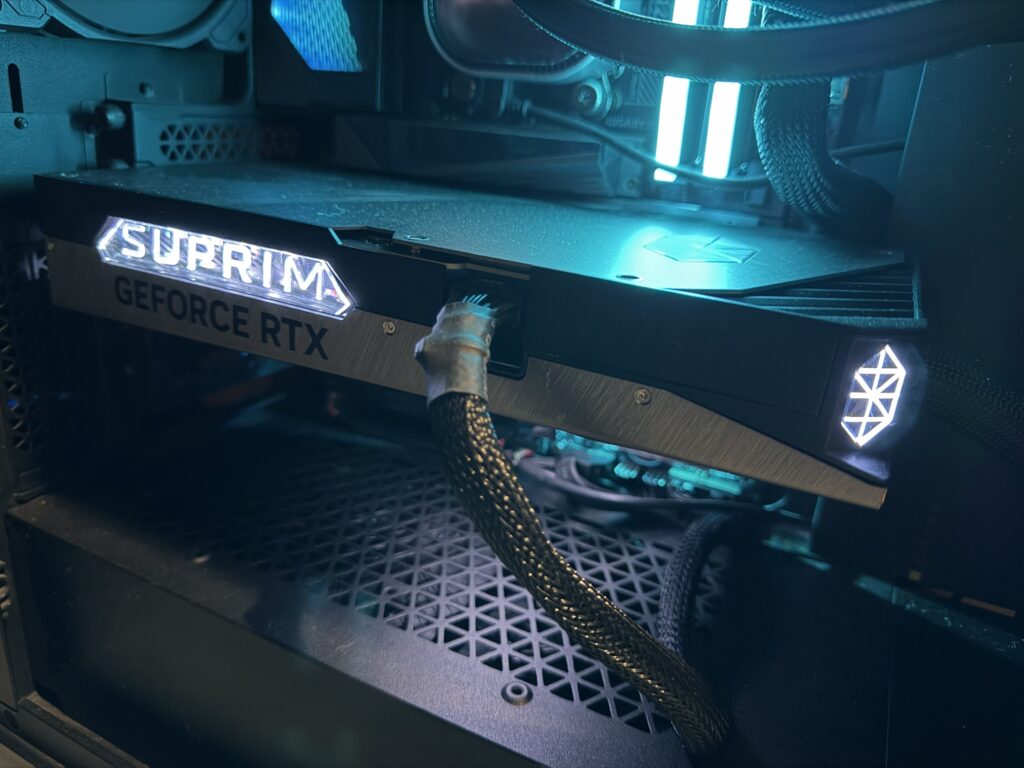
MSI Liquid Suprim 5090 Review: